Update and Reset - PC
Update and Reset
In [System Settings **- **> Update & Recovery], you can perform system version updates and factory reset operations.
System Update (Firmware Upgrade)
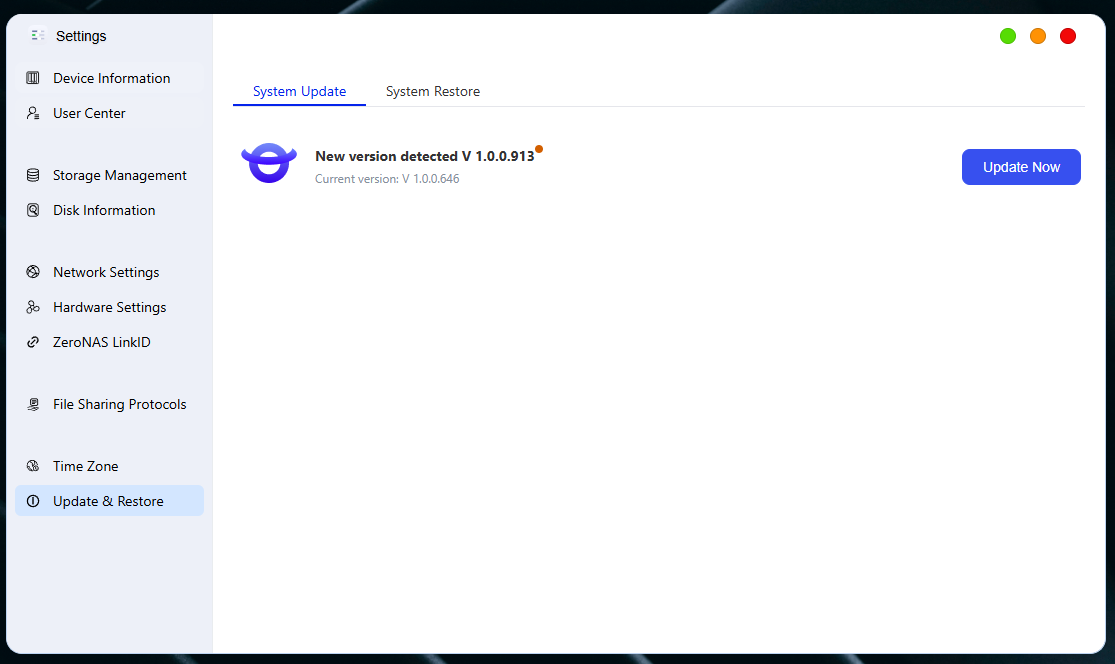
Automatic Update
-
Go to the "System Update" page and click [Check for Updates].
-
The system will automatically check for the latest version. If an available update is detected, it will be downloaded and installed automatically.
System Restore
-
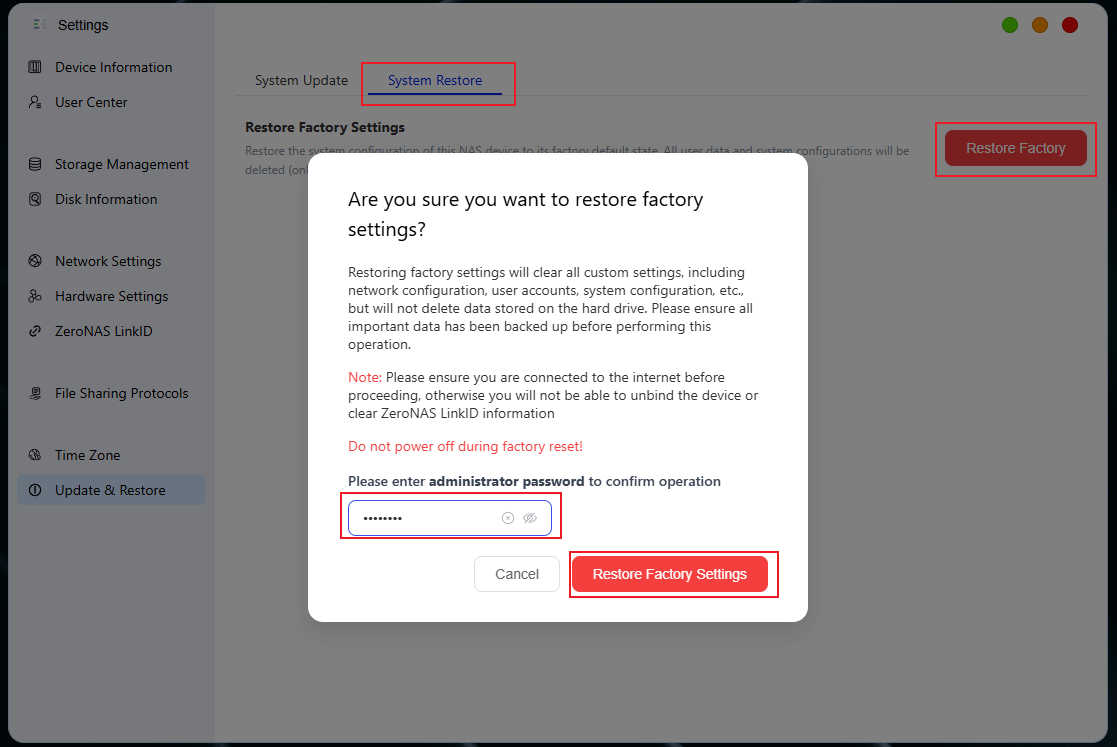
Go to the "System Restore" page and click [Factory Reset]
-
Please read the content of the pop-up prompt carefully.
-
Enter the administrator account and password, then click "Restore Factory Settings" to confirm the operation.
⚠️ Important Notes
-
Restoring factory settings will clear all custom configurations, including but not limited to:
-
Network Configuration
-
User Account
-
System Parameter Settings
-
-
Please be sure to back up all important data before proceeding with any operations.
-
Do not power off the device during the firmware update to avoid system abnormalities.